
Download Libre.fm – Free Social Music Streaming & Discovery
Overview
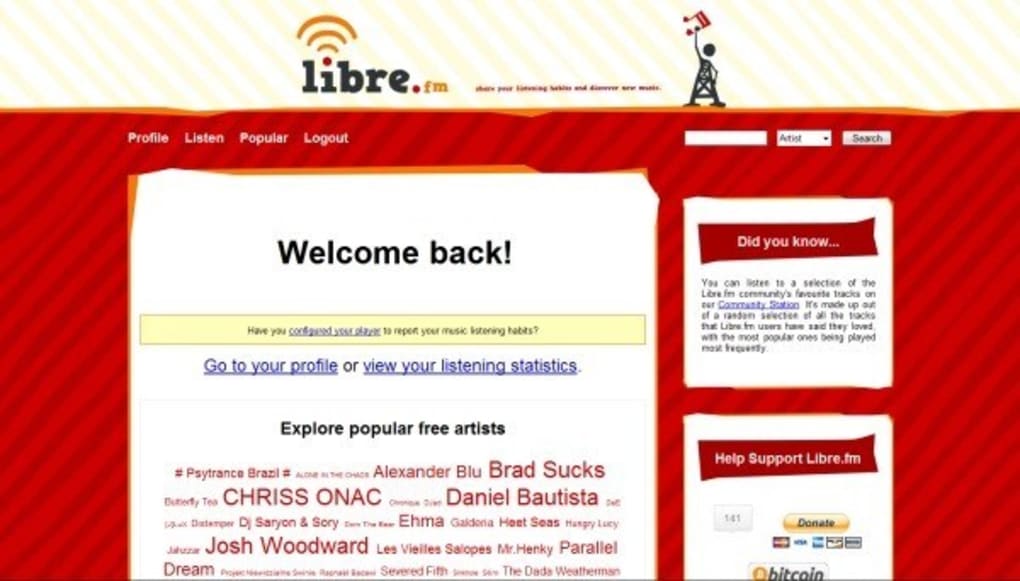
Libre.fm is a community‑driven music platform that puts the power of discovery, sharing, and remixing back into the hands of listeners. Unlike mainstream streaming services that lock content behind paywalls, Libre.fm focuses on music released under open licenses, allowing users to stream or download tracks without any hidden fees. The service integrates a “community station” that automatically curates playlists based on your listening habits, making it easy to stumble upon hidden gems from independent artists worldwide. Because the platform is built on open‑source principles, it encourages developers to embed Libre.fm into their own applications, web browsers, or even traditional media players. Whether you are a casual listener looking for fresh sounds or a DJ hunting royalty‑free tracks for a remix, Libre.fm offers a secure, free, and socially rich environment for music lovers.
Key Features & Benefits
- Open‑License Catalog: Access thousands of tracks released under Creative Commons or other free licenses, allowing legal downloading and remixing.
- Community Station: An AI‑assisted radio that learns from your skips and likes, delivering a personalized stream without ads.
- Scrobbling Integration: Sync your listening history with popular scrobble services like Last.fm, helping you keep a unified music diary.
- Embedded Widgets: Easily embed Libre.fm players into blogs, forums, or personal websites with a single line of HTML.
- Cross‑Platform Support: Works in modern browsers and can be linked with external music apps via API, making it flexible for desktop, mobile, or smart speakers.
- Free & Secure: No subscription fees, no hidden tracking scripts, and all connections are served over HTTPS.
- Developer Friendly: Open API documentation encourages third‑party integrations, fostering a vibrant ecosystem of extensions and plugins.
Why Libre.fm Stands Out
The combination of open‑license music and community‑driven curation creates a unique listening experience that respects both artists and audiences. While many streaming giants rely on algorithmic recommendations that often reinforce mainstream trends, Libre.fm’s community station surfaces niche genres and regional artists that would otherwise stay under the radar. Moreover, because the platform is free and open‑source, it aligns with the values of privacy‑conscious users who prefer not to hand over personal data to large corporations. For musicians, the ability to upload tracks under a Creative Commons license means they retain control over their work while reaching a global audience eager for fresh, legal content.
Installation, Usage & Compatibility
Getting Started in a Web Browser
The simplest way to use Libre.fm is through any modern web browser. Navigate to libre.fm, create a free account, and you’ll be greeted by the community station. From there, you can search for artists, create personal playlists, or explore curated collections. The interface is responsive, so it works equally well on desktops, tablets, and smartphones.
Integrating with External Music Apps
If you prefer a dedicated music player, Libre.fm can be linked via its streaming URL or through third‑party plugins. Popular open‑source players such as VLC and Audacious support custom streams, allowing you to add Libre.fm as a network source. For Android and iOS users, there are community‑maintained apps that embed the Libre.fm API, offering a native experience while keeping the platform’s free ethos intact.
System Requirements
Libre.fm is platform‑agnostic because it runs in the browser. Minimum requirements include a recent version of Chrome, Firefox, Safari, or Edge with JavaScript enabled. For mobile integration, Android 8.0+ or iOS 13+ is recommended to ensure smooth playback and API communication.
Updating & Maintenance
Since Libre.fm is web‑based, updates are handled server‑side. Users automatically benefit from the latest features and security patches without needing to download new versions. If you use a third‑party client, check the client’s update channel regularly to stay compatible with any API changes.
Pros, Cons & Frequently Asked Questions
Pros
- Completely free – no subscription or hidden fees.
- Large catalog of open‑license music, safe for remixing.
- Privacy‑focused with no invasive tracking.
- Community‑driven curation that surfaces unique tracks.
- Easy integration with browsers and external music apps.
Cons
- Catalog is smaller than commercial streaming giants.
- Requires manual setup for third‑party players.
- Limited offline playback options.
- Community station may need a learning period to match personal taste.
- Support is community‑based, not a dedicated help desk.
FAQ
Is Libre.fm really free to use?
Yes, Libre.fm is 100% free. You can stream, download, and share tracks without any subscription or hidden costs.
Can I download music for offline listening?
Only tracks released under open licenses can be legally downloaded. However, the web player does not provide a native offline mode; you would need to save the files manually.
How does the community station differ from algorithmic playlists?
The community station is curated by real listeners and the platform’s open‑source algorithms, emphasizing diversity over mainstream trends. It learns from your skips and likes but also injects tracks suggested by other users.
Is my data safe on Libre.fm?
Libre.fm uses HTTPS for all connections and does not sell personal data. Account information is stored with basic encryption, and the platform’s open‑source nature allows anyone to audit the code.
Can I embed Libre.fm playlists on my website?
Absolutely. Libre.fm provides embeddable widgets that generate an HTML snippet. Paste the code into any page, and visitors can play the playlist directly from your site.
Conclusion & Call to Action
Libre.fm delivers a refreshing alternative to commercial streaming services by championing open‑license music, community curation, and user privacy. While its library may not rival the sheer volume of mainstream platforms, the quality, legal clarity, and social aspect make it an excellent choice for listeners who value freedom and creativity. Whether you’re a music enthusiast looking for new sounds, a creator needing royalty‑free tracks, or a developer seeking an open API, Libre.fm has a place in your digital toolbox. Ready to explore a world of free, socially powered music? Download Libre.fm today and join a community that puts listeners and artists first.
Overall Rating: 4.5 / 5



.png)



